Many teams still run projects with paper notes, Excel files, and WhatsApp messages. The problem is: information gets lost, tasks are hard to track, and nobody has a clear “single source of truth.” Over time, this weakens data integrity (you can’t trust what’s up to date) and makes project tracking feel messy.
This conference paper introduces a solution: a visual workflow management system that works on both web and mobile, designed to keep tasks, files, and progress in one place—so teams can manage complex processes with real, trackable data.
What they built
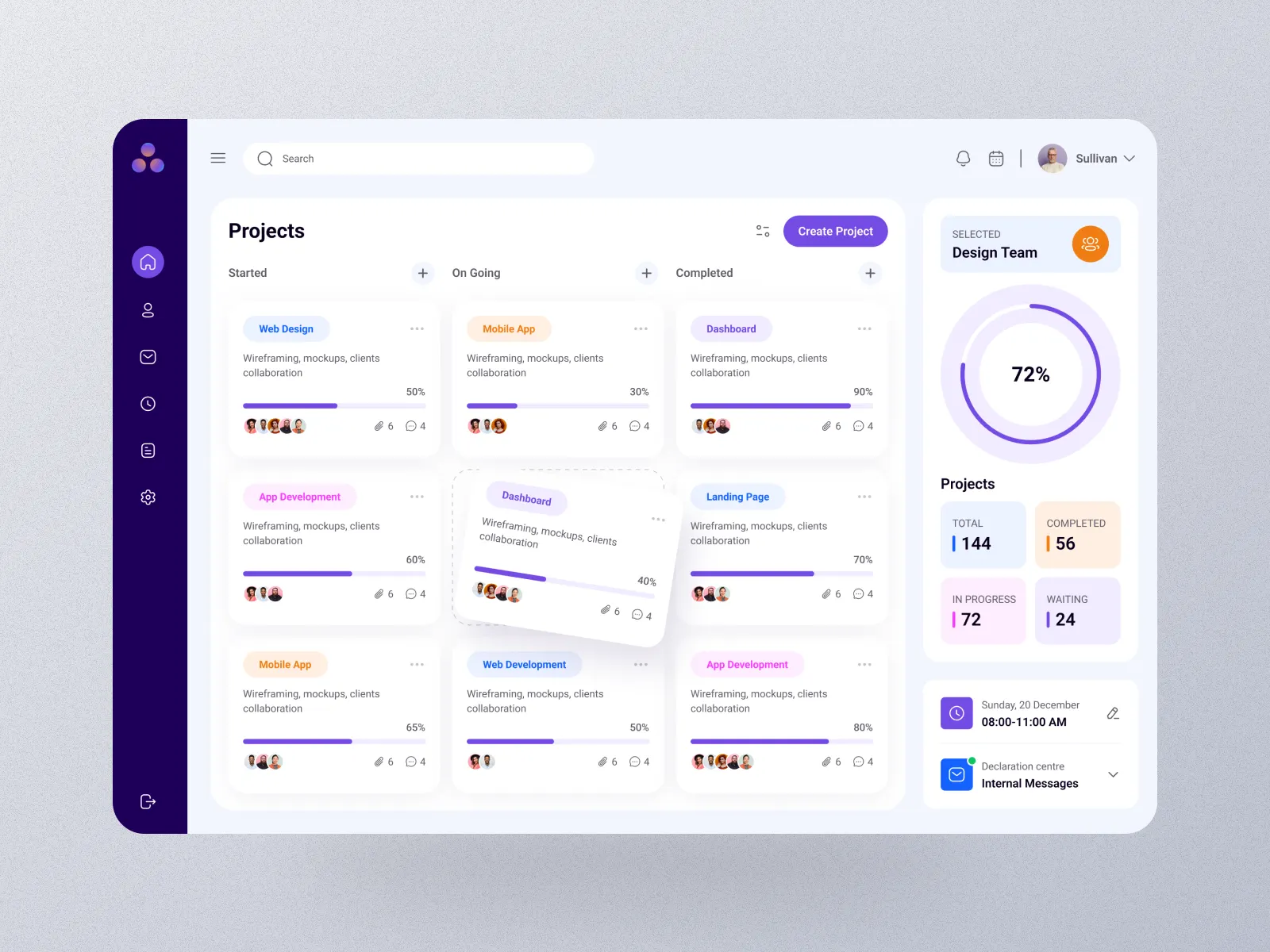
The system is basically a modern “task + project dashboard” tool with:
- Visual task boards (To Do / In Progress / Done)
- Color labels for priority (High / Medium / Low)
- Dashboards and charts for managers to see performance quickly
- File/image attachments to tasks (assets)
- A Trash feature to recover accidentally deleted tasks
- Team and role management (Admin/User)
- Sync between web and mobile so you can start work in the office and continue on the go
Tech stack (in normal words)
They built it with a popular modern web setup:
- MongoDB for storing data (flexible, good for unstructured task data)
- Node.js + Express for the server (handles requests and APIs)
- React for the web interface
- React Native for the mobile app (one codebase for iOS + Android)
- JWT authentication for secure logins
This combo is often called the MERN Stack, plus React Native for mobile.
Testing with real users
Instead of only describing the app, the authors tested it with 10 different people (engineers, students, managers, public employees, healthcare staff). After using the system, participants answered a survey using a 5-point scale.
Results (what users liked most)
The feedback was strongly positive:
- Dashboard & data visualization got a perfect score (everyone agreed it helps them understand the project fast).
- Users said it was much more organized than traditional methods like paper notes or messaging groups.
- Interface clarity, navigation, and general satisfaction were all rated high.
A few areas showed room for improvement:
- Some users experienced slight differences in sync speed (likely due to device/network differences).
- File upload capacity and some responsive UI details were suggested for future upgrades.
Why this matters
The key benefit is simple:
One shared system = fewer lost tasks, clearer responsibility, better tracking.
For SMEs and project teams, especially those juggling many tasks, this kind of tool can turn chaotic workflows into a traceable, digital work environment—with managers getting instant visibility instead of chasing updates in chat threads.
What they plan next
The authors suggest future improvements such as:
customized reporting based on user roles
better responsive design for pop-ups
larger file upload limits
AI-based task prioritization
source: https://arxiv.org/pdf/2602.17668